PEKAT VISION 4.0 is a major update to our AI vision software for quality inspection. The new version introduces a new generation of AI models, AI-assisted annotation, expanded measurement capabilities, more flexible inspection logic, and new options for model deployment and hardware integration.
The update covers the complete inspection workflow—from preparing datasets and training models to processing images, communicating results, and managing projects in production.
Below is an overview of the most important changes in PEKAT VISION 4.0.



1. Next-Generation AI Models
PEKAT VISION 4.0 introduces a new generation of models for the Detector and Surface Detection tools. The new v3 models are now used by default for new training sessions and are available in three sizes:
- v3n – Nano: optimized for faster inference
- v3s – Small: the default option, balancing speed and accuracy
- v3m – Medium: designed for applications where higher accuracy takes priority
This allows users to select the most suitable model according to the performance requirements of a particular inspection without changing tools or rebuilding the complete project.
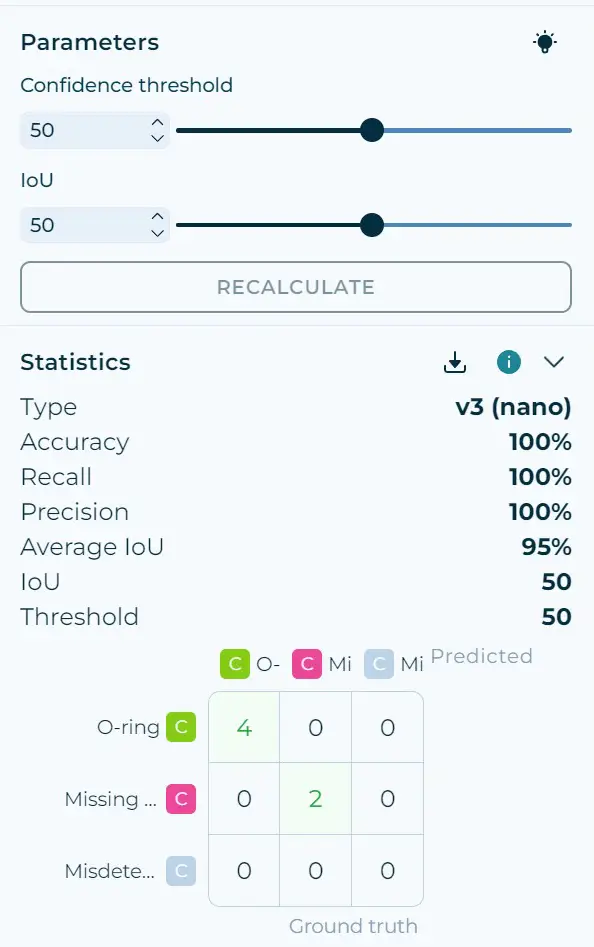
The new models also use Mosaic augmentation during training. Once training has finished, PEKAT VISION automatically determines suitable confidence and Intersection over Union (IoU) thresholds based on the test dataset. The controls therefore start at the calculated optimum and can still be adjusted when an application requires a different balance between false-positive and false-negative results.
The image on the right shows example model statistics, including the model type, confidence threshold, and IoU settings.
Previous-generation v2 models remain available for compatibility with existing projects.
2. Faster Dataset Preparation with Smart Annotation
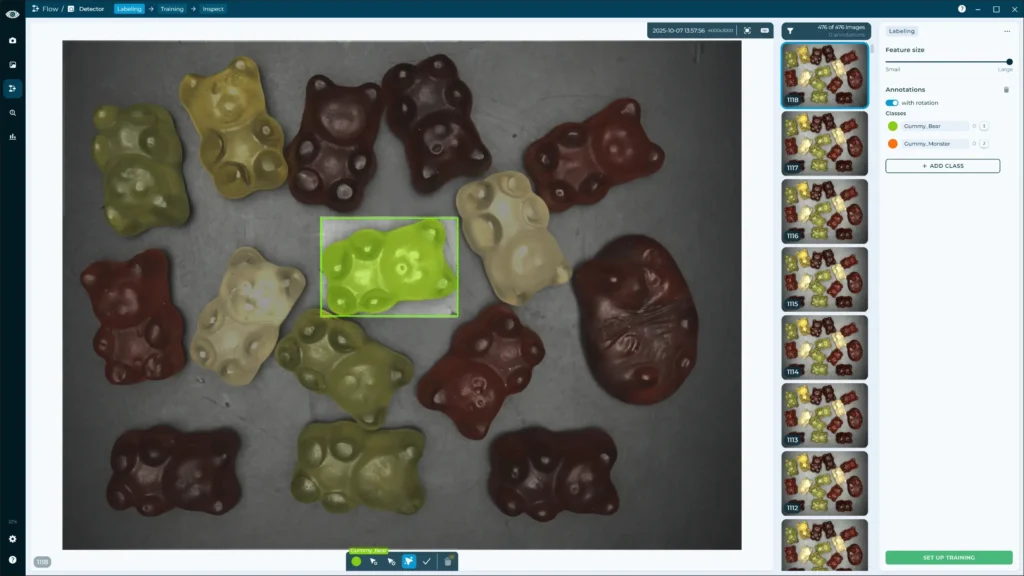
Preparing an annotated dataset is one of the most time-consuming stages of supervised AI inspection. PEKAT VISION 4.0 introduces Smart Annotation, which uses the Segment Anything Model (SAM) to preview a suggested annotation as the user hovers over an object or defect.
Depending on the selected tool, the suggested annotation is either an object mask or a tightly fitted bounding box. Clicking confirms the annotation, which can then be refined using the existing brush, polygon, or rectangle controls.
Smart Annotation is available in both Detector and Surface Detection. It runs locally, ensuring that inspection images remain on the user’s machine.
New Annotation Options in Detector
The Detector now offers three annotation modes:
- Rectangle for conventional axis-aligned annotations
- Rotated Rectangle for objects positioned at different angles
- Smart Annotation for AI-assisted object selection
A rotated rectangle can be created either by drawing a standard rectangle and rotating it or through a three-click workflow in which two points define the baseline and a third determines its width.
Classification in Detector is now enabled automatically. With one class, the tool performs object detection. As soon as a second class is added, classification becomes active without requiring a separate setting.
3. New Tools for Industrial Measurements
PEKAT VISION 4.0 replaces the previous Measure tool with two purpose-built tools for common industrial measurement tasks.
Line Find
Fits a straight line to a dominant feature within a selected region of interest and provides its length, angle, and endpoint coordinates.
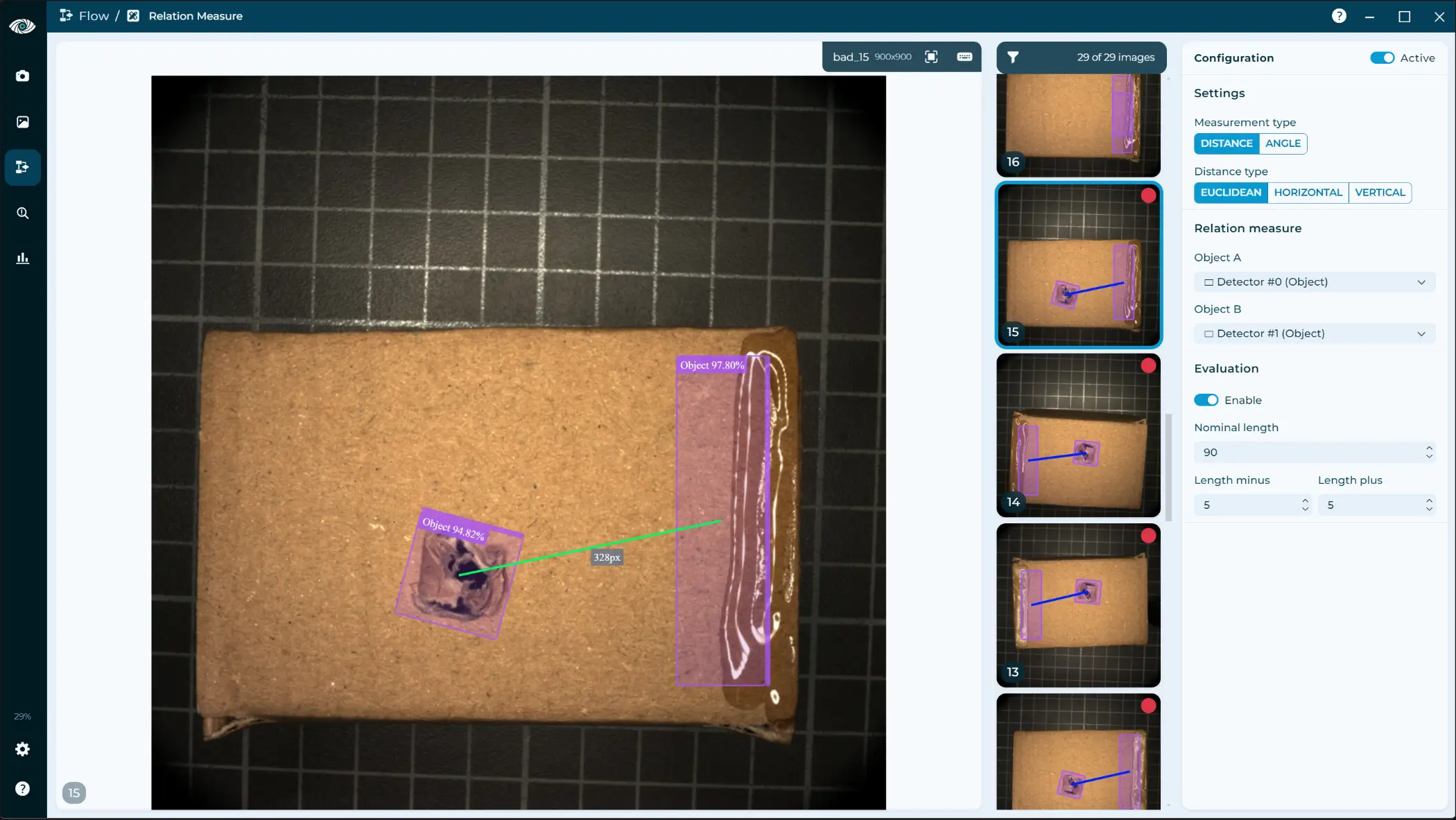
Relation Measure
Determines the distance or angle between two lines or detected rectangles. Users can define a nominal value together with lower and upper tolerances for direct evaluation.
Together, these tools make it possible to combine AI-based object detection with conventional geometric inspection in a single processing flow. This is particularly useful when the position or orientation of the measured components varies between images.
The original Measure tool is no longer available in new projects. Existing Measure configurations remain functional when projects are upgraded from an earlier version.
4. More Flexible Inspection Logic with Conditional Gate and GlobalData
The former Filter tool has been renamed Conditional Gate and extended with new capabilities.
Conditional Gate determines whether an image should continue through a particular part of the processing flow. When used together with Parallelism, it allows one project to direct images through different inspection branches based on results from upstream tools.
Version 4.0 also introduces GlobalData, a project-wide key/value store that persists across individual evaluations. It can be used for information such as:
- rolling production counters
- multi-image inspection states
- the result of a previous evaluation
- last-known-good data
- values shared by different parts of the project
This enables inspection logic that depends not only on the current image but also on information collected during previous processing cycles.
5. Dedicated Output and Communication Tools
The previous combined Output tool has been divided into seven dedicated tools, each corresponding to a particular protocol or hardware interface:
- HTTP Output
- CMD Output
- TCP Output
- Siemens S7 PLC Output
- GPIO Output for supported smart cameras
- Camera Output
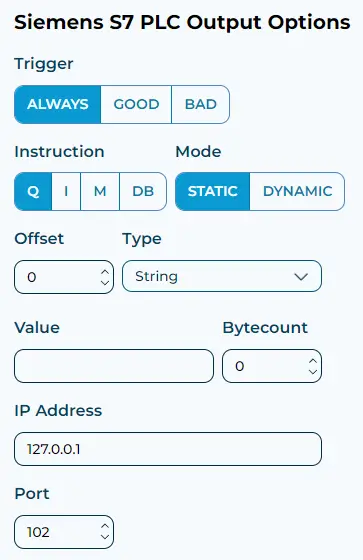
This gives each interface a clearer and more focused configuration. Hardware-specific functions, including pulse duration and output delay, are displayed where supported.
The available output tools can also adapt to the detected hardware, keeping the tool selection relevant to the system on which PEKAT VISION is running.
Existing projects using the previous Output configuration continue to work. In new projects, users simply select the required protocol or interface directly.
Image on the left: Siemens S7 PLC Output Options Settings
6. More Robust Object Alignment with the Reworked Unifier
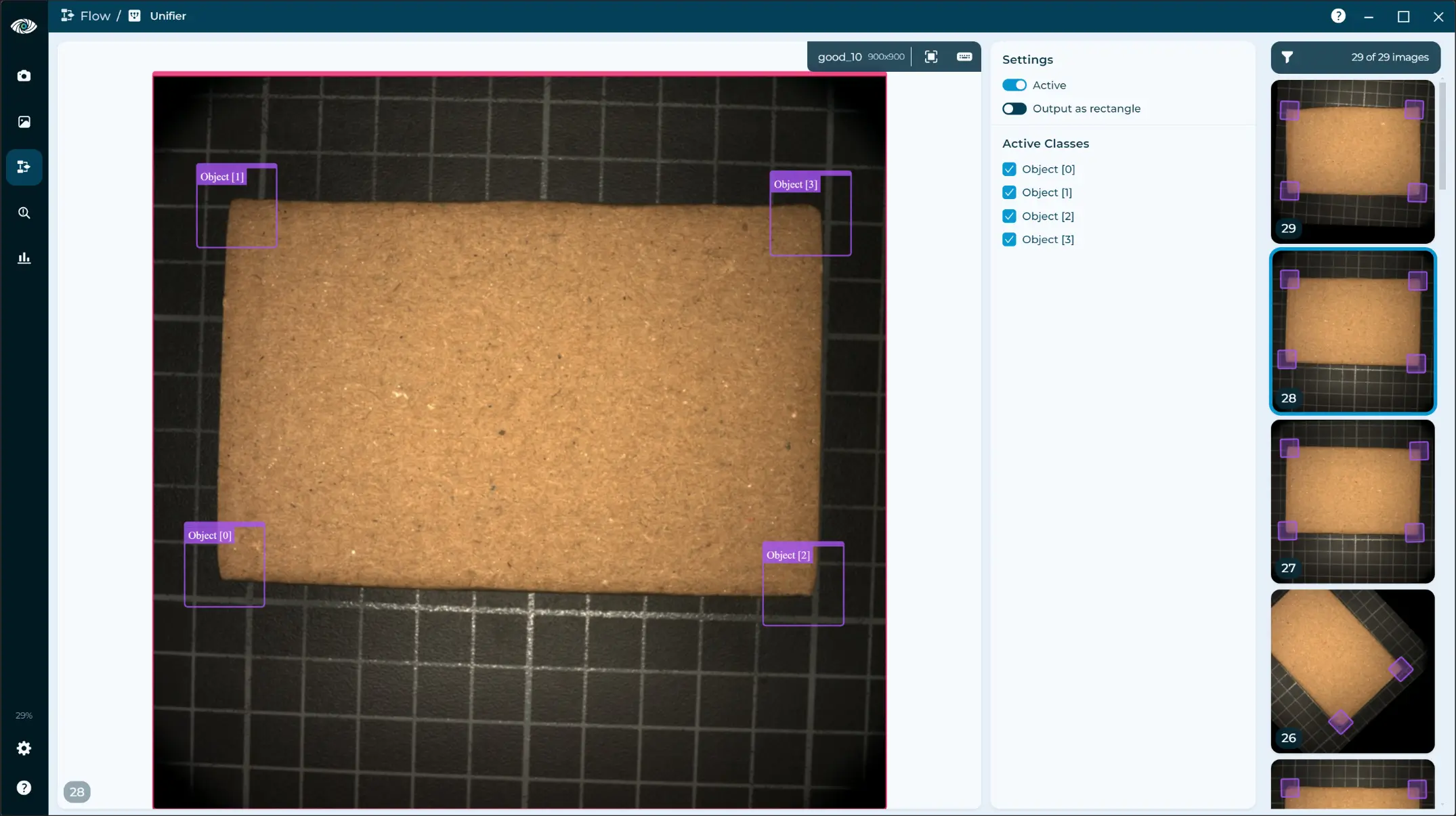
The Unifier has been redesigned for more robust alignment of objects whose position or orientation changes between images.
Instead of relying on manually annotated anchor points, the new Unifier uses rectangles supplied by upstream AI recognition tools. At least two different anchor classes are used to determine the position, rotation, and scale of the inspected object.
This detector-driven approach allows the alignment to adapt when the anchors move between images, helping prepare consistently positioned image regions for subsequent inspection tools.
Existing Unifier configurations created in version 3.19 remain supported.
7. Faster Model Deployment with TensorRT
Trained v3 Detector and Surface Detection models can now be compiled into a TensorRT engine from the Model Selection panel for use outside PEKAT VISION.
The engine is built for the GPU installed in the system. Although this one-time compilation takes several minutes, it can significantly reduce inference latency during subsequent processing.
8. Import Existing Annotated Datasets
Existing annotated datasets can now be imported directly when creating a new Detector or Surface Detection tool.
The COCO dataset format is supported for both tools, while DOTA is supported only for Detector. After selecting the annotation file and corresponding image folder, PEKAT VISION creates the tool and imports the individual classes and annotations.
This eliminates the need to recreate annotations manually and makes it easier to transfer existing datasets into a PEKAT VISION project.
9. Camera, Hardware, and Project Management Improvements
Expanding Camera Support
Version 4.0 adds support for cameras using the Vimba X SDK, expanding compatibility alongside Baumer, Basler, and the already supported camera and frame-grabber interfaces.
Camera Performance Monitor
A new Camera Performance Monitor displays important information such as frame rate and latency. This makes it easier to identify acquisition or integration problems without leaving PEKAT VISION.
Compare Trained Models at a Glance
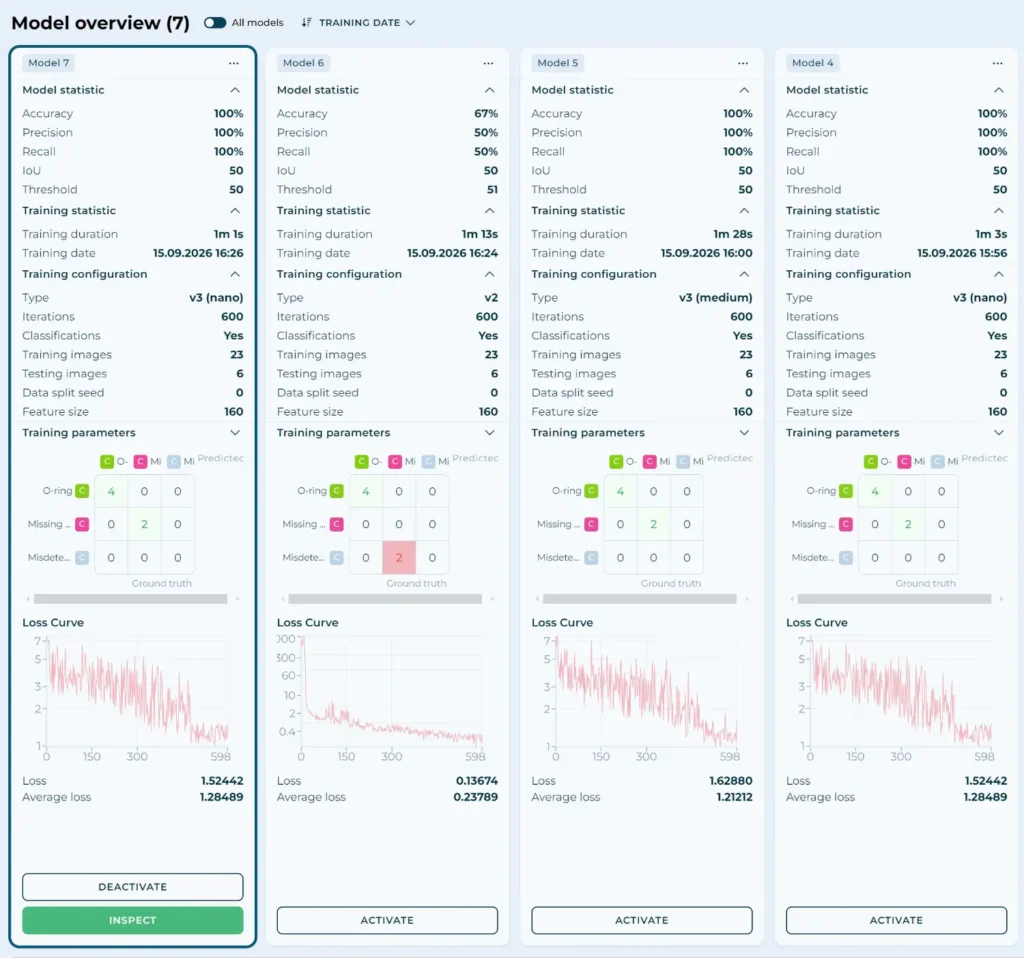
Each AI tool now includes a Model Overview that brings all trained models together in a single view.
Users can compare key model statistics—including accuracy, precision, recall, IoU, and threshold—alongside the training duration, configuration, parameters, confusion matrix, and loss curve.
This makes it easier to evaluate different training runs and select the most suitable model for inspection.
New Starter Client
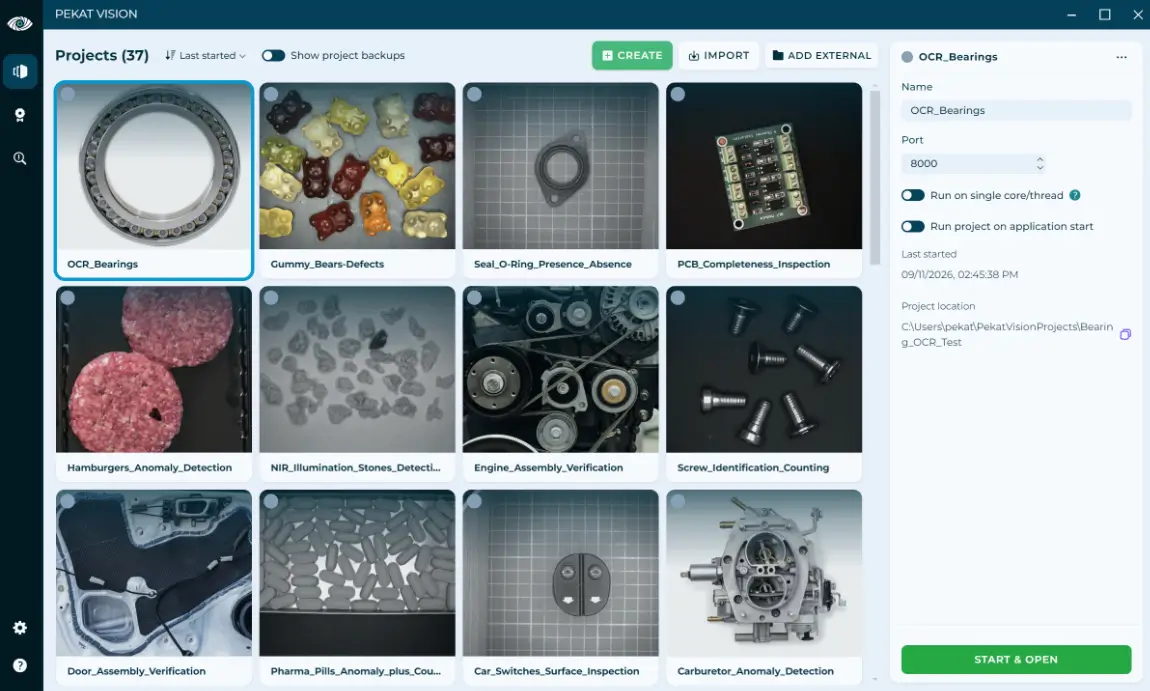
The former Project Manager has also been renamed Starter Client and introduces several usability improvements:
- a redesigned Welcome page
- project thumbnails
- sorting by name, date, or type
- the option to attach an existing external project folder
- an integrated project-backup workflow
Updated Terminology
Throughout PEKAT VISION 4.0, the term Tool replaces Module.
Each tool remains an individual processing step within the inspection flow, so the underlying concept has not changed. The new terminology is now used consistently across the software interface and Knowledge Base.
Compatibility and Migration
PEKAT VISION 4.0 introduces substantial changes while maintaining compatibility with existing projects wherever possible:
- Existing v2 AI models remain supported.
- Existing Surface Detection Lightweight models can still be used for inference, although new Lightweight models can no longer be trained.
- Existing Filter configurations are transferred to Conditional Gate.
- Projects using the former combined Output tool continue to work.
- Existing Unifier configurations remain supported.
- Detector classification is now controlled automatically by the number of defined classes.
- Kiosk mode is no longer available. Operator View must be entered manually when a project starts.
As with any major software update, we recommend creating a backup of important projects before migration and reviewing the relevant settings after opening them in version 4.0.
Get PEKAT VISION 4.0
PEKAT VISION 4.0 provides a faster and more flexible workflow for building, deploying, and operating AI-based visual inspection systems. From AI-assisted annotation and a new generation of models to expanded measurements, advanced flow control, and new deployment options, the update brings improvements across the complete project lifecycle.
Existing customers can download PEKAT VISION 4.0 from the Partner Portal.
If you are not yet using PEKAT VISION, you can register for a 30-day free trial or contact us to discuss your inspection application.