PEKAT VISION 3.19 introduces improvements across communication, image handling, and usability — along with powerful new modules that give users greater control over inspection logic, data handling, and customization.
Whether you are integrating PEKAT VISION into automated production lines, building more complex inspection flows, or optimizing training and annotation workflows, version 3.19 introduces features that make everyday work faster, clearer, and more scalable.
Below is an overview of what’s new.
1. Communication & Processing Improvements
Improved TCP Communication
PEKAT VISION Project Manager can now handle simple TCP commands to start or stop projects and check their current status. This simplifies integration with external systems such as PLCs or custom control software.
Single CPU Core Assignment
A new option allows running a project on a single CPU core. Selecting a single core may improve processing speed for some projects.
Enhanced License Overview
The licensing view has been extended to display all licenses available on a machine, including:
- license type
- current status
- expiration date
- additional license details
Previously, only the active license was shown, making it harder to manage multiple licenses on the same system.
2. Image Source & Image Gallery Enhancements
Local Folder as Image Source
In addition to cameras and API-based input, a local folder on a computer can now be defined as an image source.
The project continuously monitors the folder and automatically processes newly added images. The exact behavior depends on the selected project settings, making this feature useful for offline testing, batch inspection, and integration with external systems exporting images.
Multiple Tags per Camera Source
A single camera source can now be assigned multiple tags, enabling more flexible dataset organization and image selection later in the workflow.
Redesigned Image Gallery
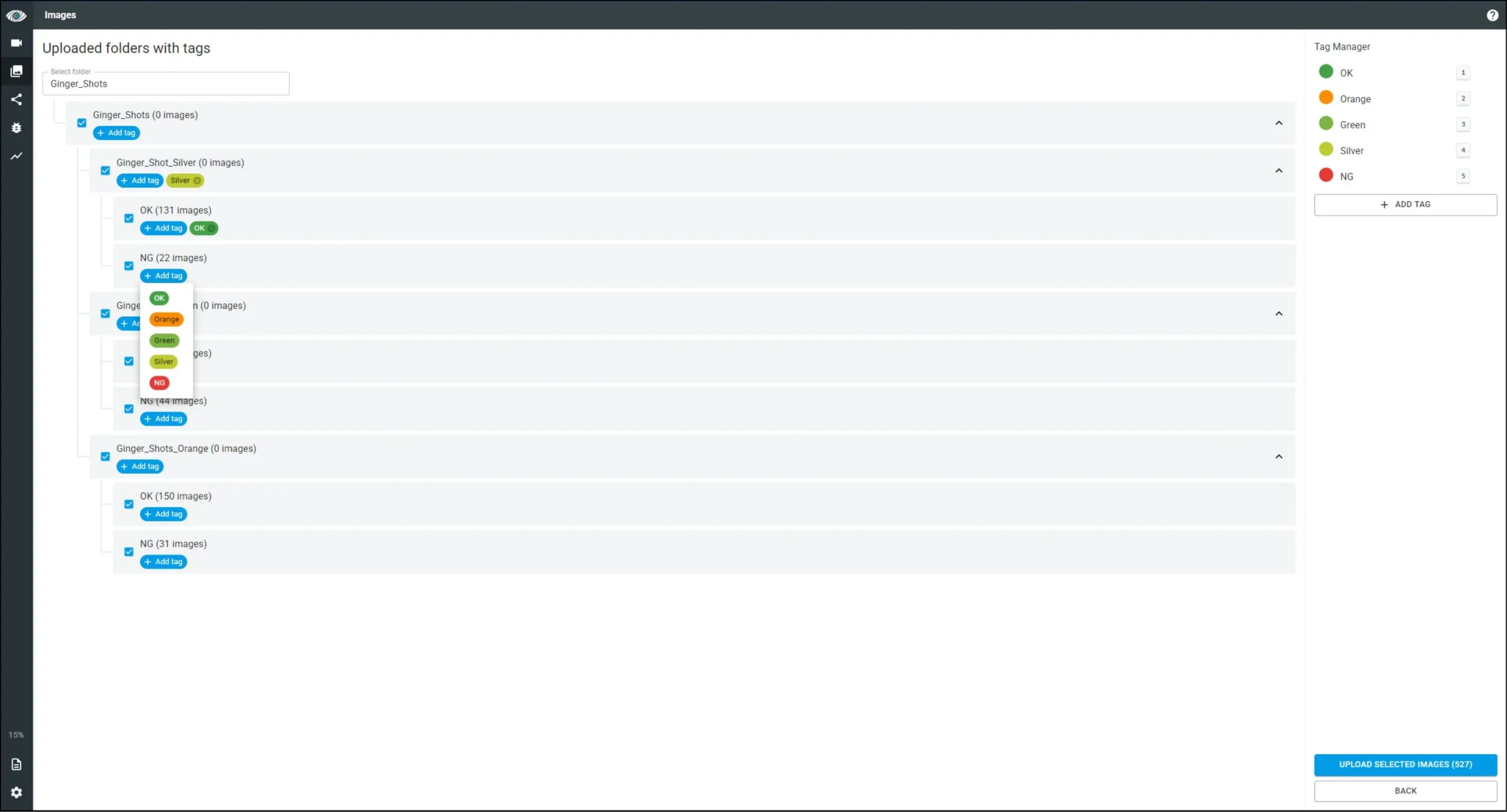
Version 3.19 introduces a new Image Gallery design, making image and folder uploads more intuitive and efficient:
- Multiple folders can be uploaded or selected at once
- Each folder can have its own tags
- Folder structures up to 16 subfolder levels deep are supported
This significantly improves dataset management for large or structured projects.
3. New Modules & Features
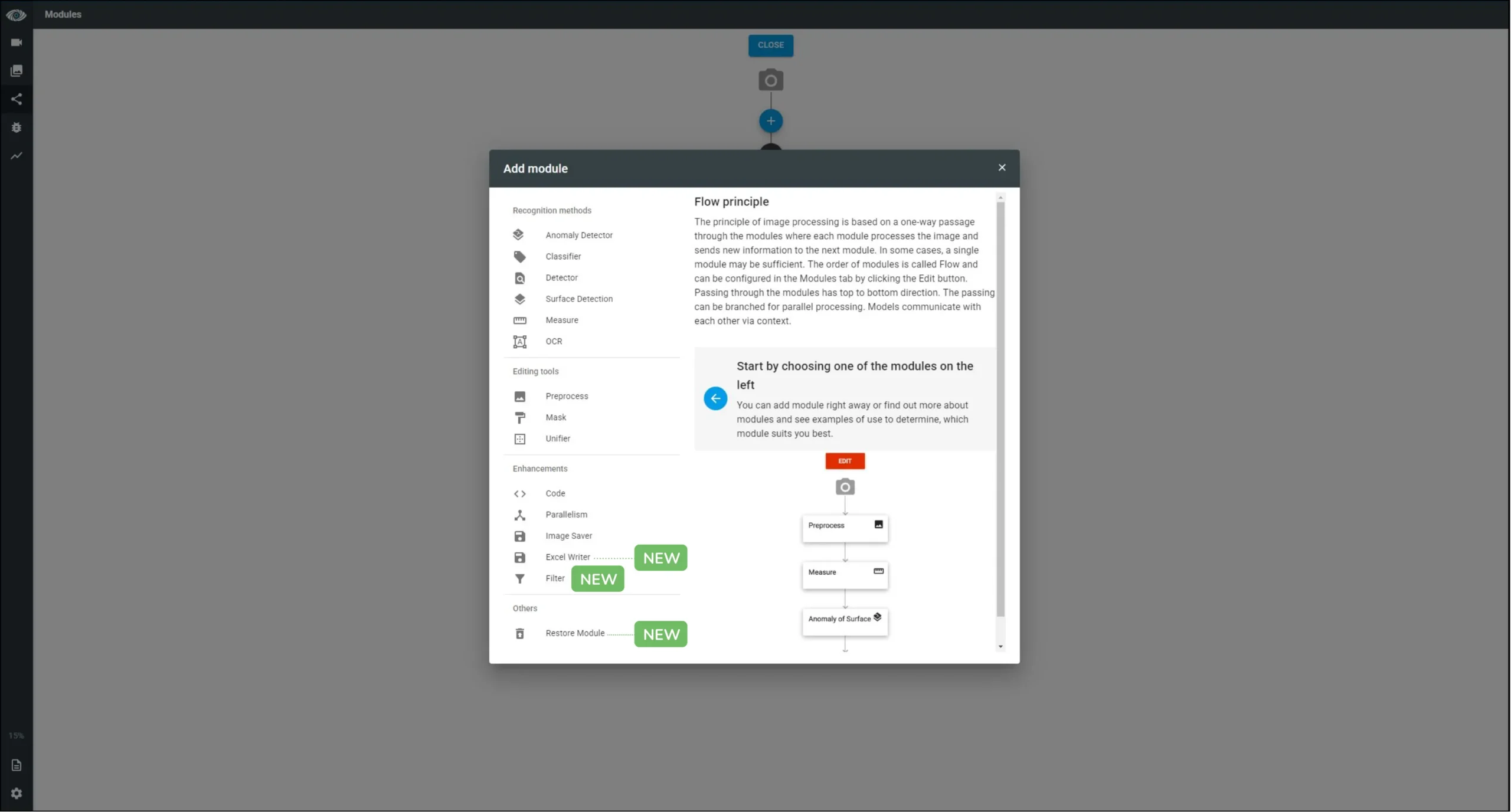
Filter Module
The new Filter module allows defining evaluation logic before further image processing.
It evaluates results from any upstream module in the flow. If the evaluation result is FALSE, the image is removed from the flow and no longer processed.
This is especially useful when combined with Parallelism, allowing images to be selectively routed through specific branches of the inspection flow.
Code Module (Extended Functionality)
The Code module enables advanced customization using Python. Several ready-made sample codes are available in new projects, including OpenCV-based examples.
From version 3.19, the Code module also:
- Enables communication between PEKAT VISION projects
- Provides UI tools for creating custom input forms
The module is structured into three parts:
- Form Editor – Create forms whose values are available to the source code
- Source Code – Modify the application context using Python; form values are passed as inputs
- Preview – Inspect how code changes affect images in detail and adjust form values interactively
Excel Writer Module
The Excel Writer module enables exporting project statistics directly into Excel files.
It automatically creates a folder structure:
- monthly folders
- daily subfolders containing Excel files
Each row in the Excel file corresponds to one processed image, making this module ideal for reporting and traceability.
Image Saver (Extended Output)
The Image Saver module now supports saving images:
- to a local drive
- over an FTP server
This adds flexibility for centralized storage, quality audits, or remote access.
Restore Module
The new Restore Module allows users to recover previously deleted modules.
It is not part of the processing flow but provides a list of deleted modules that can be:
- restored back into the project
- permanently removed
This reduces the risk of accidental deletions during project development.
4. Module Enhancements
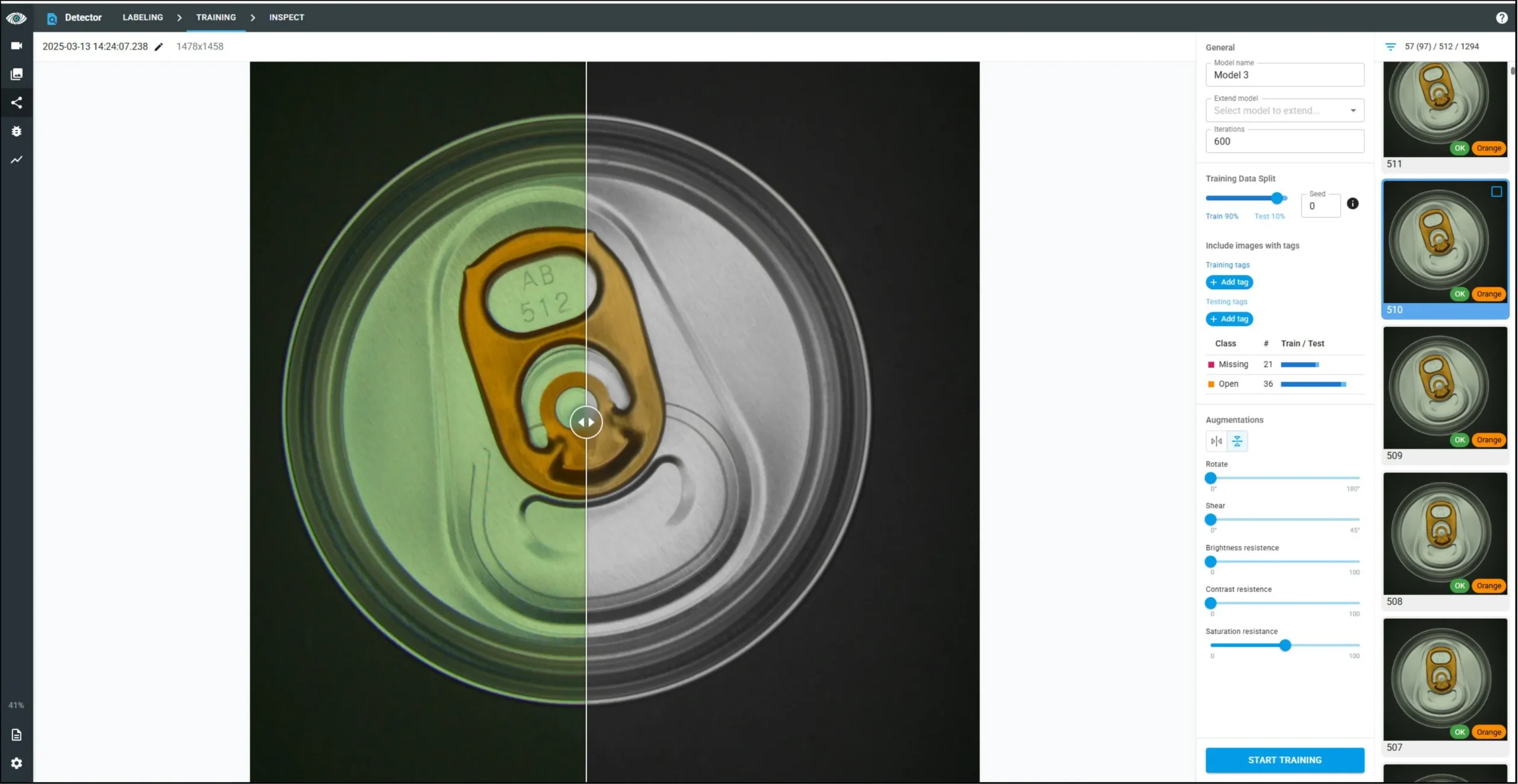
Augmentation (Expanded Support)
Image augmentations help make AI models more robust by reducing sensitivity to lighting, orientation, and other variations.
From version 3.19:
- Augmentations are available for all AI modules except Anomaly Detection
- Horizontal and vertical flips are not available in the OCR module
Supported augmentations include:
- rotation
- horizontal and vertical flips
- brightness, contrast, and saturation variations
- shear transformations
Auto-Annotation for Classifier
Auto-annotation, previously available only in the Detector module, is now also supported in the Classifier.
The workflow:
- Train the model using a small number of manually annotated images
- Use model predictions to auto-annotate remaining images
- Confirm, edit, or adjust annotations
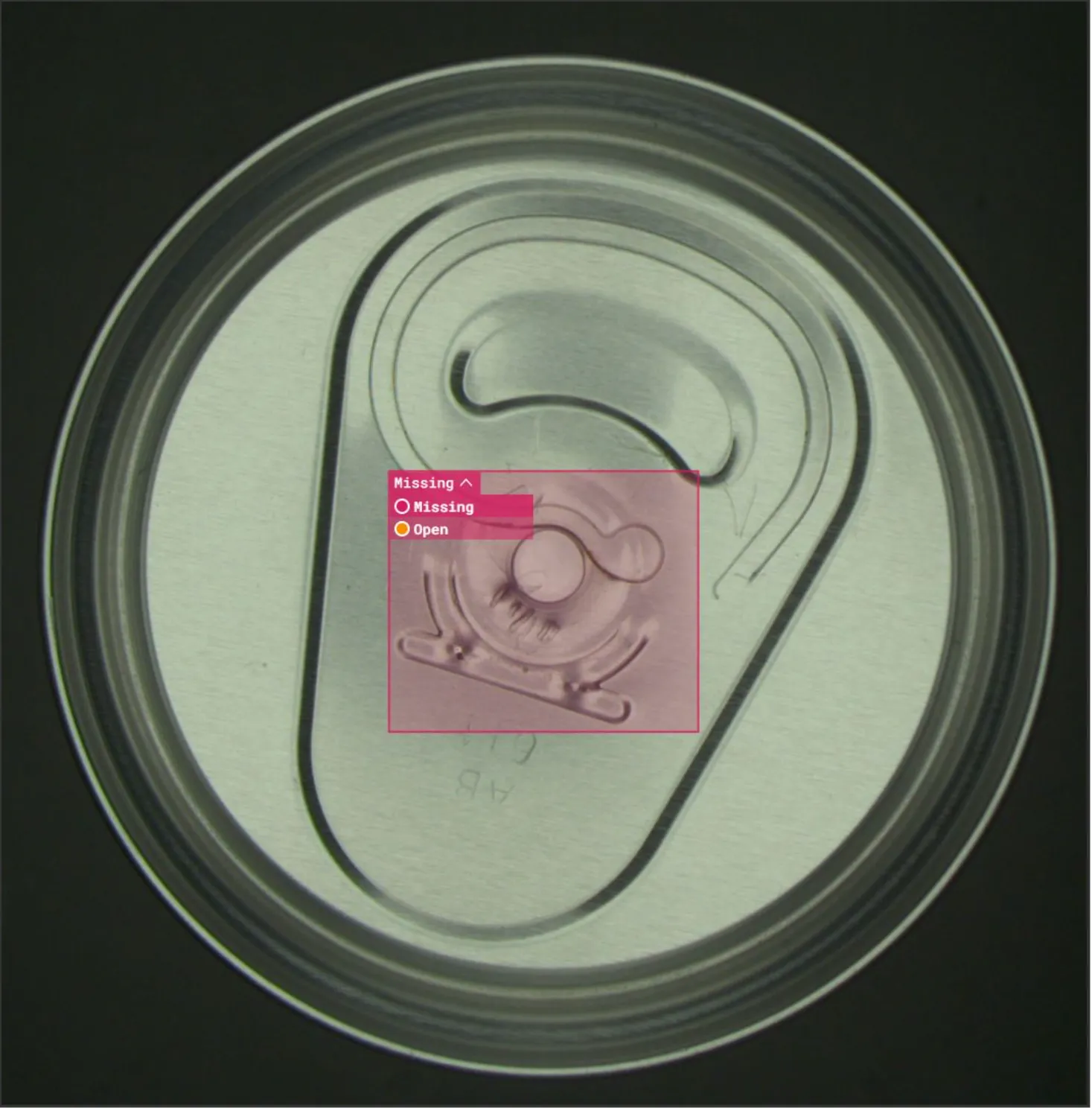
In-Picture Class Manager
The class of annotated objects can now be changed directly in the image.
Both updates significantly speed up dataset preparation.
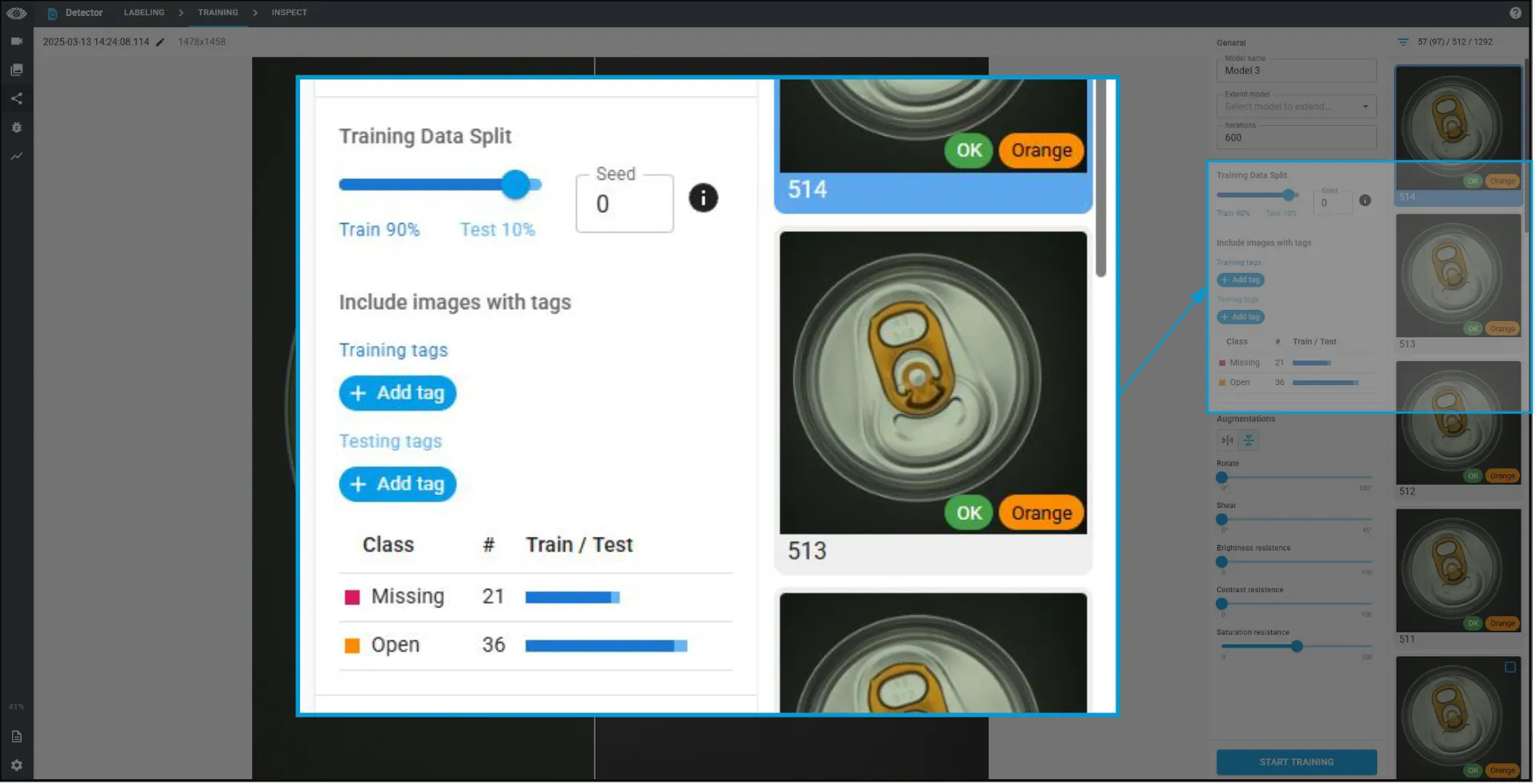
Selecting Test Images by Tag
Test images can now be selected by tag, in addition to random selection. This gives users more control over how validation datasets are created.
Improved OCR Annotation
OCR annotation has been streamlined by:
- enabling direct annotation using mouse clicks
- sorting the character overview alphabetically
This makes OCR training faster and more intuitive.
Download the Latest Version
PEKAT VISION 3.19 focuses on greater control, better usability, and expanded customization options. This release supports both simpler setups and highly advanced inspection systems.
You can download the latest version from our Partner Portal. If you are not yet a PEKAT VISION customer, you can register and download a 30-day free trial.